CAM for sheet parts

From STEP assembly
to G-code. Automatically.

Drop in an assembled model. StepNest finds every sheet part, lays it flat, nests it on your stock and writes programs for your router. It all runs in your browser.

Free to use, no sign-up. Your STEP file never leaves your computer.

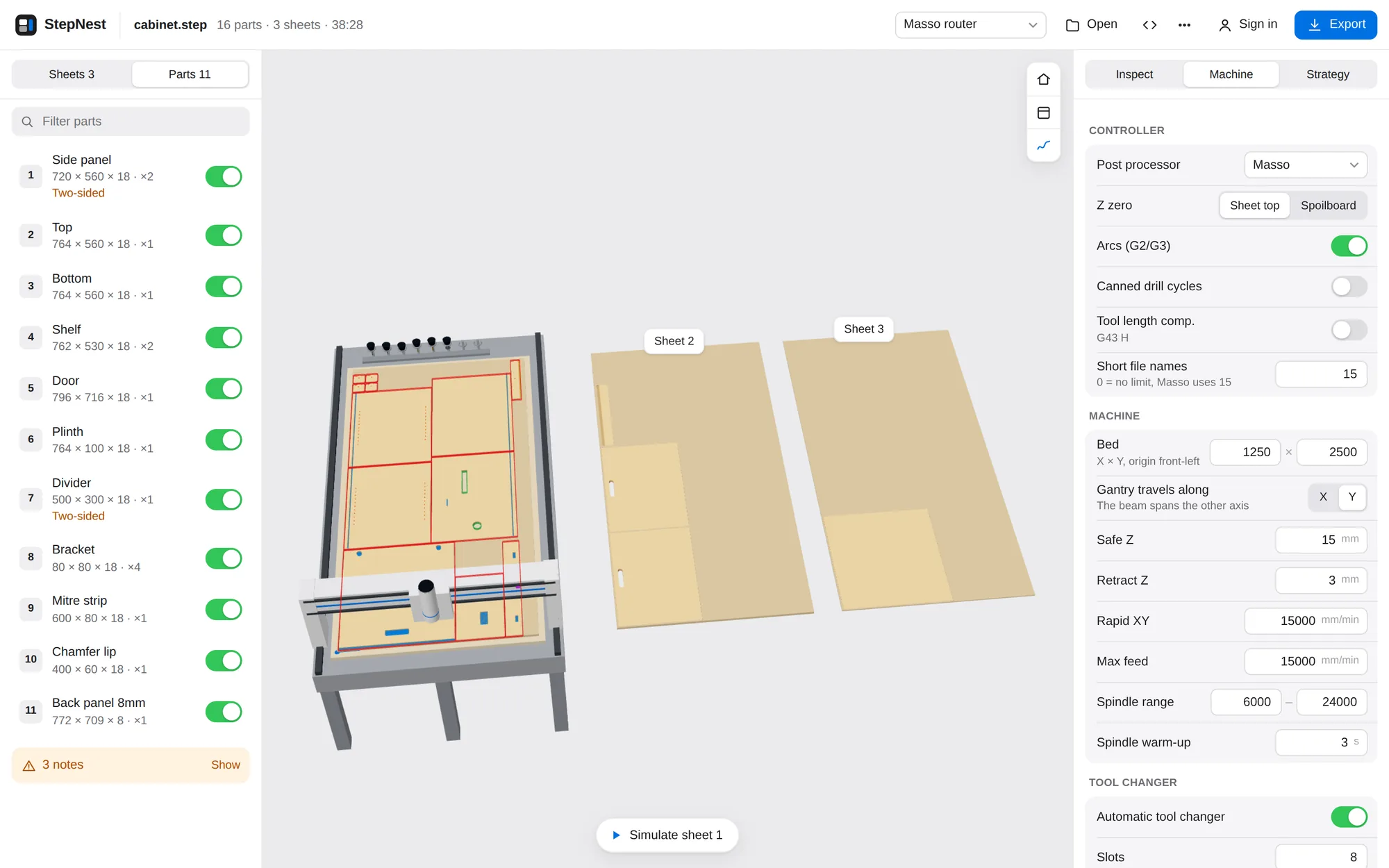
StepNest showing a cabinet nested on three sheets, with the first sheet on a router bed and toolpaths drawn on the parts
No uploadFiles are processed on your device with WebAssembly
No installRuns in any current desktop or mobile browser
Seven controllersGRBL, Mach3/4, LinuxCNC, Syntec, Fanuc, Masso

Three steps. Most of them automatic.

  1. 1

    Drop the assembly

    Export the whole model as STEP from Fusion, SolidWorks, Onshape, Rhino or SketchUp. Add several files to one job and choose how many sets of each to make.

  2. 2

    Review the plan

    Every part is recognised, matched to a material and nested. Click any part or tool to change it. The job re-plans in about a second.

  3. 3

    Simulate and export

    Watch the machine run each sheet, tool changes included. Then download the programs with a printable setup sheet.

Recognition

It reads the part the way a machinist would.

StepNest slices each solid through its thickness and works out what can be cut from the top: outside and inside profiles, pockets at any depth, holes, slots and open-edge rebates. If a part machines better face-down, it's flipped. Anything a router can't reach, such as undercuts or side bores, is flagged instead of guessed.

  • Identical parts are found and counted automatically
  • Blind and through features, circles and slots are told apart
  • Slanted faces become V-bit mitres and chamfers
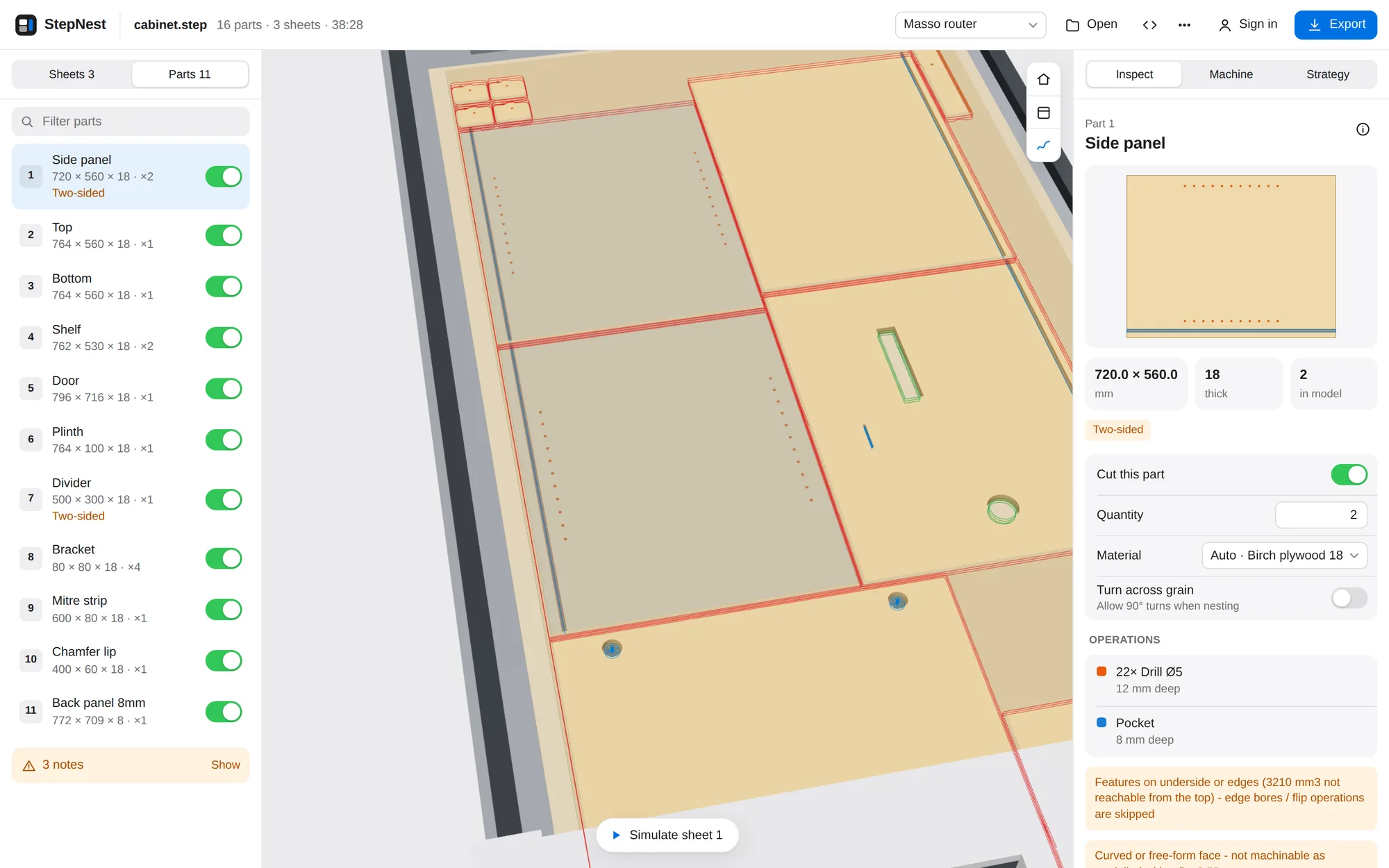
Part inspector showing a side panel with its drill and pocket operations

Nesting

True-shape nesting on real sheets.

Parts are packed by their actual outlines, not their bounding boxes. Grain direction is respected, several orderings are tried, and each material gets its own sheets. Change the sheet size, margin or spacing and the whole job re-nests while you watch.

  • Grain along the length, across the width, or free, set per part
  • Spacing taken from the cutter that actually cuts the outline
  • Unmatched thicknesses offered as new materials in one click
Machine settings beside a nested sheet on a router with an eight-slot tool rack

Toolpaths

The toolpaths you would write yourself.

Tools are chosen from your rack by reach, diameter and what each tool is allowed to do. Then StepNest writes the paths an experienced operator expects, in a sensible order: small features first, outlines last.

  • Ramped contours with tabs or onion skin
  • Stay-down pocketing and rest machining with a smaller tool
  • Helical bores, peck drilling and slots cut at the cutter's own width
  • V-bit mitres that stop short of neighbouring parts
  • Dogbone or T-bone relief in sharp inside corners, globally or per part
  • Pockets at an edge run out past it, so there's no thin wall left
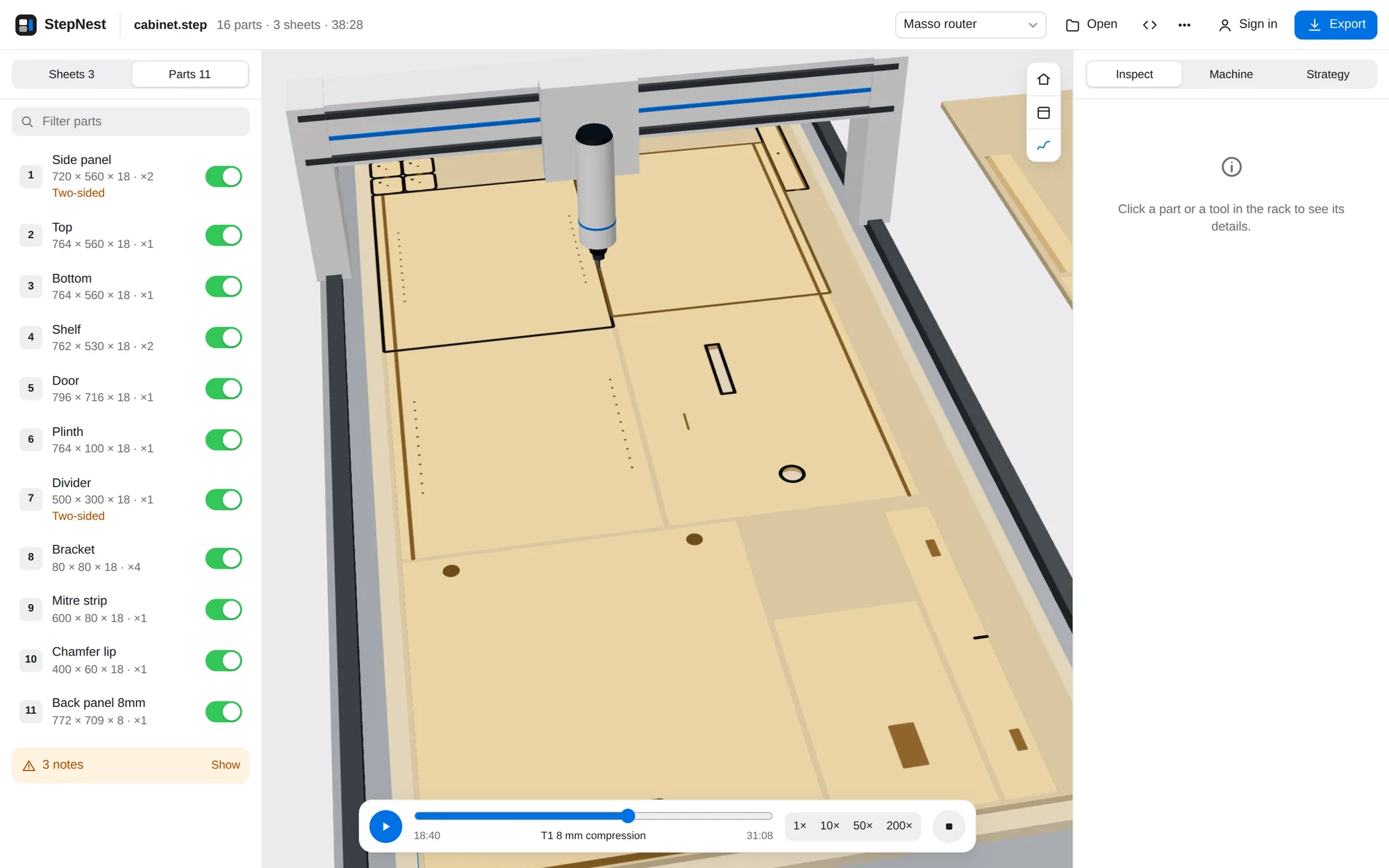
Simulation of the router cutting a sheet with an 8 mm compression cutter

Output

Clean G-code for your controller.

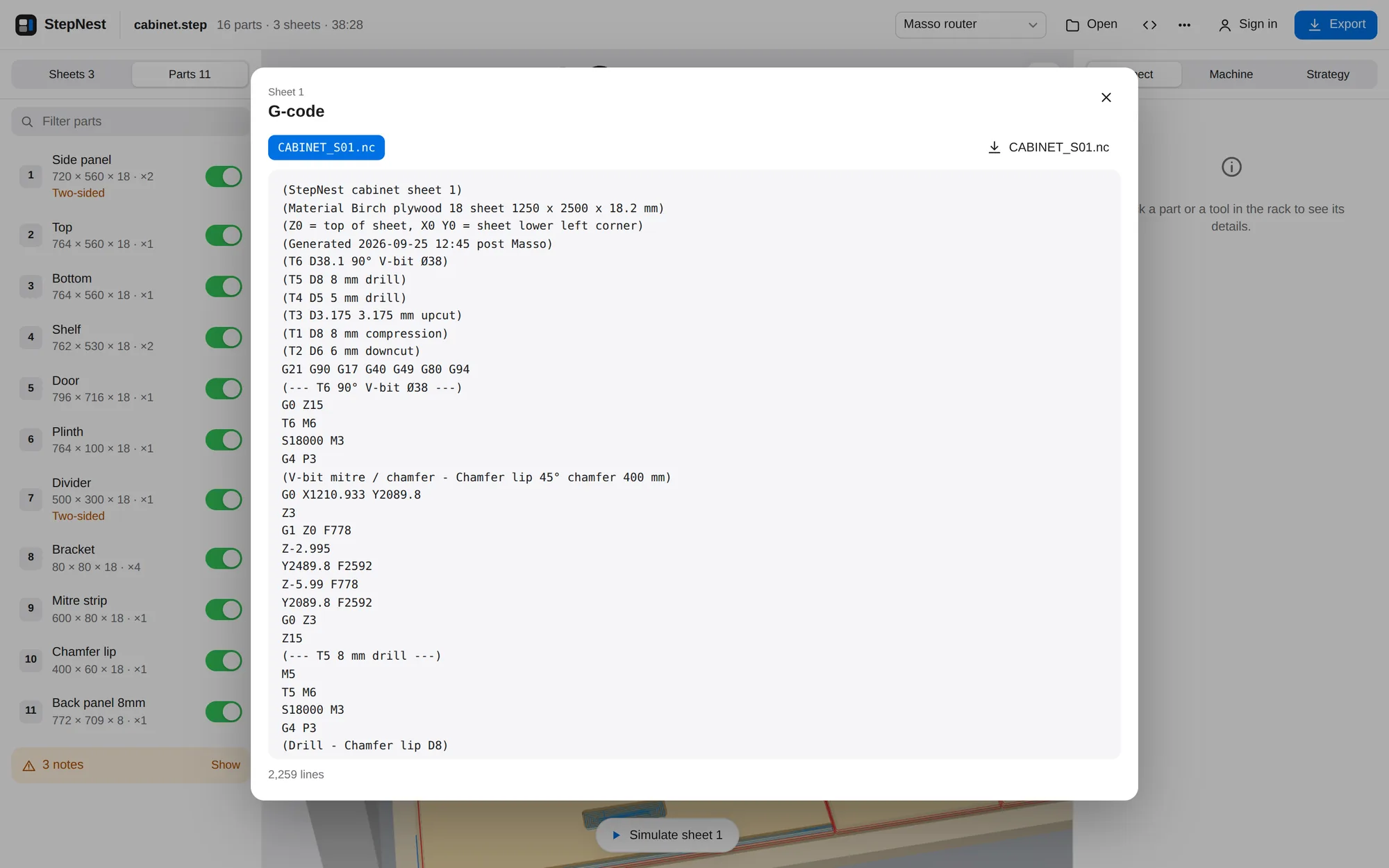
Each post writes the dialect your controller expects, with arcs fitted as G2/G3 moves, canned cycles where supported, and tool changes or one file per tool for machines without a changer. The export includes a setup sheet with part numbers, tools and a drawing of every sheet.

  • Z zero on the sheet top or on the spoilboard
  • Short file names for Masso and MASSO Link
  • Estimated run time per sheet from your machine's feeds and rapids
G-code viewer showing the program for sheet one

As configurable as your desktop CAM.

It's automatic by default, but nothing is hidden. Everything the planner decides comes from presets you can change.

Machine

Bed size, gantry direction, origin, safe heights, rapids, spindle range and warm-up.

Tool rack

Slots, side of the bed and spacing. Click a tool in the 3D rack to edit it.

Tools

Type, diameter, flutes, reach, V-bit angle, feed factor and allowed operations.

Materials

Nominal and measured thickness, sheet size, grain, spindle speed and chip loads.

Strategy

Climb or conventional, ramps, overcut, stock to leave, tabs, onion skin and pecks.

Per part

Quantity, material override, grain rotation, or leave a part out of the job.

Posts for the controllers in real shops.

  • GRBL / grblHAL
  • Mach3
  • Mach4
  • LinuxCNC
  • Syntec
  • Fanuc
  • Masso

Each post is checked by an independent G-code verifier. It replays the programs against the original solids and checks for gouges, depth errors, cuts outside the sheet and features left uncut.

Privacy

Your models stay yours.

The geometry kernel, recognition, nesting and post processors all run inside your browser. Opening a STEP file never sends it anywhere, which also means a large assembly loads just as fast on a slow connection.

An account is optional. It syncs your machines, tools and materials between computers and keeps saved projects. Projects hold only the recognised part geometry, compressed, and your settings. They never include the STEP file.

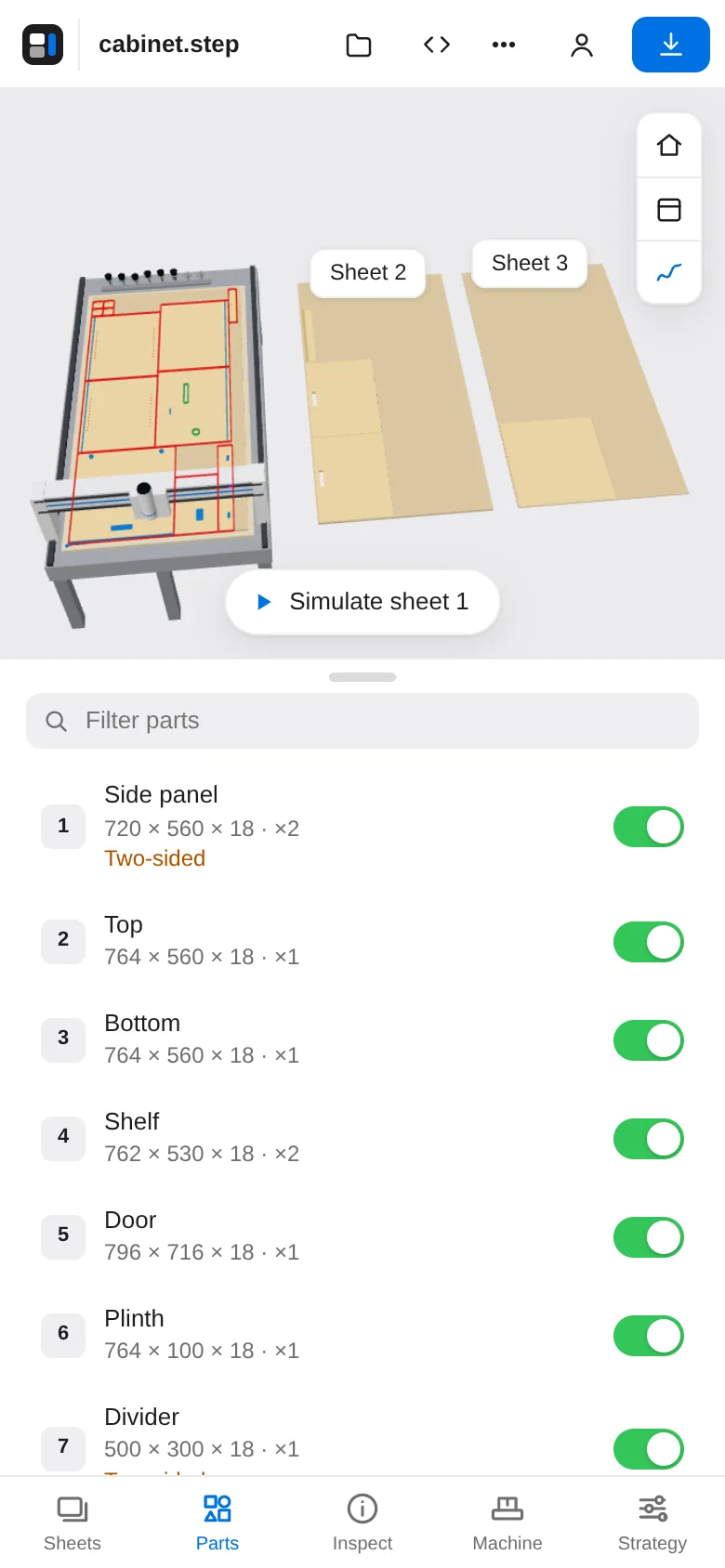
StepNest on a phone showing the parts list of a cabinet

Try it with your own assembly.

Or open the sample cabinet and have a look around.